A new travel policy goes live on a Monday. HR sends it by email, uploads the PDF to a shared drive and asks team leads to mention it in their weekly meetings. By Thursday, the warehouse shift still hasn’t seen it.
Half the field sales team is discussing it in a messaging group HR can’t access, and two employees have already booked trips under the old rules. Nobody did anything wrong. The information simply had no single place to live.
This is usually why companies start looking at an internal platform. The technology is rarely the hardest part. The hard part is deciding what the platform must do, who it has to reach, which existing tools it replaces and how you will know it is working. If you make those decisions in the right order, the build becomes far more predictable and the launch far less stressful.
The stages below follow the order in which most project teams actually need them. First, agree on what an intranet means for your organization. Then audit the tools you already pay for and map every audience you must reach.
After that, choose an architecture, design the content and services, set governance, launch and measure. Each stage also covers the objections that tend to come up in steering meetings, such as “we already have a chat tool” or “our frontline staff don’t have company email.”
Table of Contents
What an intranet is, and what employees now expect from one
The technical definition is narrower than most people assume. NIST’s glossary defines an intranet as a computer network, especially one based on Internet technology, that an organization uses for its own internal and usually private purposes and that is closed to outsiders. The same body’s guidance on web servers notes that a server used internally, and not by the public, may be known as an “intranet server.”
That definition still matters, because it captures the principle that has to survive any modernization: the space belongs to your people and is closed to everyone else. What has changed is how people reach it.
When HR, internal communications and IT leaders talk about an intranet today, they rarely mean a set of pages that only load inside the office network. They mean a secure, branded environment that employees can open from a laptop at home, a tablet in a store or a phone on a delivery route.
Discover how to improve internal communication with our all-in-one platform.
Expectations have shifted too. A static homepage with a CEO message and a link to the expense form no longer earns daily visits.
Employees expect what they get from the apps they use outside work: a personalized feed, quick search, the ability to message a colleague, and services that save them time or money. In practice, a modern intranet sits much closer to an employee experience platform than to a document library.
This distinction shapes every later decision. If the goal is only to publish documents, a file-sharing tool may be enough. If the goal is to make people feel informed, connected and valued, the platform needs two-way communication, recognition, benefits and data. That is a different scope, a different budget conversation and a different set of vendors.
Stage 1: Start with the problems you need to solve
Feature lists are tempting. Every vendor demo shows news feeds, chat, surveys, badges and dashboards, and it is easy to leave a meeting with a wish list of forty items.
Resist that. Start instead with the problems that cost your organization time, money or talent today, and write them down in plain language.
For most European employers, the list looks something like this:
- Critical messages don’t reach frontline, remote or field employees in time.
- Employees juggle too many tools, logins and notifications, and HR teams spend hours on manual updates.
- HR services and benefits are scattered across different portals, so people don’t know what they are entitled to.
- Good work goes unnoticed, especially in distributed teams, which weakens retention.
- Company values exist on a slide but rarely show up in daily work, which hurts the employer brand.
- Sales teams lack visibility on targets and recognition, and motivation drops between campaigns.
- Leadership has no reliable data on engagement until exit interviews reveal the problem.
- ESG and well-being commitments lack practical programs that employees can join.
Next, turn each problem into a goal you can observe. “Improve communication” can’t be measured. “Every employee can confirm they have read a safety update within 48 hours” can.
So can “employees check one place for HR information instead of five” or “every team sends recognition at least once a month.” Pick a handful of goals that leadership genuinely cares about, rather than trying to fix everything at once.
Finally, record a baseline before anything changes. How many tools do employees use for internal information? What share of staff opened the last company-wide email? How many benefit offers were redeemed last year? What is your current turnover rate by department?
Without these numbers, you will have no way to show progress six months after launch, and the platform will be judged on opinion rather than evidence.
Stage 2: Audit the tools you already pay for
Very few companies start from zero. Most already have email, file storage, office software, some form of chat and an HR system. Many also run an ERP and a separate benefits or discount provider. The audit is where you discover overlap, gaps and hidden costs.
European data shows how much of that groundwork is already in place. According to Eurostat, 52.7% of EU enterprises used paid cloud computing services in 2025, up 7.4 percentage points from 2023 and far above the 17.8% recorded in 2014.
The figures cover enterprises with at least 10 employees. Adoption varies sharply by country: Italy reached 75.6% in 2025, second only to Finland at 79.2%, while Greece stood at 24.3%. A plan built for a team in Milan may not fit a smaller subsidiary in another market, so it pays to audit each country separately.
Company size matters as well. In 2025, 85% of large EU businesses bought cloud services, compared with 52% of SMEs. Among businesses using the cloud, 85% used it to host email, 72% for office software and 72% for file storage. Integration is also common.
In 2025, 60.38% of Spanish enterprises used an ERP package to share information between functional areas. These figures measure cloud and ERP use, not intranets, but they point to a practical conclusion: your new platform should connect to what already works, not duplicate it.
For each tool, capture the following:
- What it is used for, and by whom (which departments, countries, roles).
- Who owns it internally and who pays for it.
- Annual cost and renewal date.
- Which data it holds (employee records, documents, conversations, benefit usage).
- Whether it offers single sign-on and integration options.
- How many employees actually use it each week, not just how many have accounts.
The audit often surfaces uncomfortable truths. A discount portal may have hundreds of offers but almost no logins, because nobody remembers the URL.
A shared drive may hold three versions of the same handbook. A recognition program may live in a spreadsheet one HR manager updates by hand every Friday. Each of these is a candidate for consolidation, and the renewal dates tell you when you can realistically switch.
Stage 3: Map every audience you must reach
One common reason internal platforms fail is that they are designed for office workers and then rolled out to everyone. If a large share of your workforce works on shop floors, in vehicles, in kitchens or at customer sites, the platform has to be built around them from the first wireframe.
Map your audiences in concrete terms. A useful segmentation might include:
- Frontline and deskless employees, who may not have a corporate email address or a company laptop.
- Hybrid and remote staff, who need the same information as office colleagues without the hallway conversations.
- Field sales teams, who live on their phones and care most about targets, incentives and fast answers.
- Managers, who have to relay messages, recognize their teams and act on feedback.
- New hires, whose first weeks shape whether they stay.
For each group, answer a few practical questions. On which device will they open the platform? Can they log in without a corporate email, for example with an employee number or a personal phone, and does the platform you are considering support that?
How many minutes a day do they realistically have for internal content? Which language do they prefer? A company operating in Spain, Italy, Portugal, Germany, France and the Netherlands may need six interface languages, plus local news, holidays, benefits and HR contacts for each country.
It also helps to look at the channels employees already use informally. Eurostat reports that 63.57% of EU enterprises used social media in 2025, for purposes that include communicating inside or outside the company.
The share was lower in the Netherlands, at 55.96%, which again shows that habits differ from one market to the next.
When an official channel feels slow or irrelevant, people create their own groups on consumer apps. Those shadow channels are a signal of unmet needs, and they also create risks when company information leaves a space that is closed to outsiders.
A good test at this stage is a simple persona walk-through. Take a warehouse operator, a sales representative and a finance analyst, and trace how each would learn about the new travel policy, request a day off, find a colleague’s contact details and see a new employee discount. If any of those journeys requires more than a couple of taps or a desk computer, the design needs work.
Stage 4: Choose the right architecture for your intranet
With goals, tools and audiences on paper, you can compare architectures objectively. There are broadly four routes, and many organizations end up combining two of them.
| Option | What it does well | Where it falls short | Typical fit |
|---|---|---|---|
| Self-hosted intranet server | Full control over infrastructure and customization | Heavy IT maintenance, slow updates, often weak on mobile and frontline access | Organizations with large in-house IT teams and strict hosting requirements |
| Document suite and shared drives | Familiar tools, strong file storage and collaboration on documents | Little targeted communication, no benefits or recognition, hard for deskless staff | Office-based teams whose main need is document management |
| Chat-only tools | Fast conversations, good for project teams | Important announcements get buried, limited analytics, no HR services | Small teams or as a complement to a broader platform |
| All-in-one employee platform (cloud-hosted) | Communication, directory, chat, surveys, recognition and benefits in one branded app, with dashboards | Requires clear governance and integration planning; scope varies by vendor | Companies with mixed office, frontline and field workforces across several countries |
The objection you will hear most often is “we already have a chat tool and a shared drive, so why add another platform?” It is a fair question. The answer lies in the audit from Stage 2.
If those tools reach everyone and HR can target, track and confirm important messages through them, you may not need more. In most mixed workforces, though, chat tools serve office teams well while frontline staff stay outside, and shared drives store information without delivering it. The goal is not to add one more login. It is to replace several scattered entry points with one front door and to integrate the tools that remain.
When comparing vendors, focus on the following questions:
- Can the platform carry your brand, colors and tone so it feels like your company rather than a generic app?
- Does it offer native mobile apps and access options for employees without corporate email?
- Which integrations are available with your HR system, identity provider and existing tools?
- Can content and permissions be segmented by country, site, department and role?
- What analytics are included, and can HR read them without a data analyst?
- How long does a typical implementation take for a scope like yours?
Timelines, features and pricing vary by provider and contract, so ask for a scoped proposal rather than relying on a brochure. A configurable platform with ready-made modules is usually much faster to launch than a custom build, because you configure what exists instead of developing it.
Stage 5: Design content and two-way communication
Architecture decides where information lives. Content design decides whether anyone reads it. This is where 360º internal communication takes shape: messages that flow from leadership to teams, from teams back to leadership and sideways between colleagues.
Structure the information around tasks
Organize the platform around what employees need to do, not around your org chart. “Request time off,” “Find a colleague,” “My benefits” and “Safety procedures” are easier to find than “Human Resources > Policies > Leave > Forms.”
Keep the main navigation short and let search do the heavy lifting. A people directory with photos, roles, locations and skills can be a useful feature, because it answers the daily question “who do I ask?”
Target, don’t broadcast
A company-wide feed where everyone sees everything quickly becomes noise. Segment content by country, site, department and role, so a store manager in Lisbon sees the regional sales results and local holiday schedule while a German logistics team sees its own updates.
Reserve push notifications for messages that truly require attention, and agree on a rule for what counts as urgent. When everything is urgent, nothing is.
Return to the travel policy example. On a well-designed platform, HR publishes the update once, targets it to employees who travel, translates it into each local language and requests a read confirmation. Managers receive a list of who has not yet opened it.
A short FAQ sits underneath, and employees can comment with questions that HR answers publicly, so the same question doesn’t arrive forty times by email.
Make listening part of the design
Two-way communication goes beyond comments and reactions. Short, regular pulse surveys let you track how people feel about workload, leadership or a recent change, and spot problems in a specific team before they turn into resignations.
Keep surveys brief, explain why you are asking, and, above all, share what you did with the results. Employees stop answering surveys when nothing visible changes.
An editorial calendar keeps the platform alive after launch. Assign content owners per country or department, plan recurring formats such as weekly highlights, new joiner introductions and team spotlights, and give local correspondents simple guidelines. Authentic content from colleagues tends to travel further than polished corporate announcements.
Stage 6: Add the services people come back for
News alone rarely drives daily use. People return to platforms that do something useful for them. That is why many internal platforms bring HR services, benefits and recognition into the same space as communication.
Benefits and employee discounts
Many companies already offer perks, but employees don’t know they exist or forget where to find them. Placing discounts on everyday purchases, travel, leisure and well-being inside the platform turns an abstract benefits package into something people use and talk about.
It also supports attraction and retention, because candidates and employees compare total rewards, not just salary. Make offers relevant by country, since a discount that works in France may not exist in Portugal.
Recognition and rewards
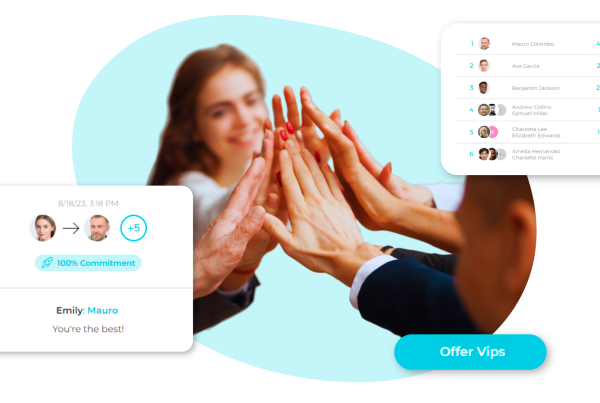
Recognition works best when it is frequent, specific and visible. Peer-to-peer recognition lets colleagues thank each other publicly for concrete actions, while manager-led awards highlight standout contributions.
Linking recognition categories to your company values is one of the simplest ways to make culture tangible: every time someone is recognized for “customer focus” or “teamwork,” the value stops being a poster and becomes a behavior people can see.
A common objection is that recognition programs feel forced. They do when they are top-down, infrequent or disconnected from real work.
They feel natural when anyone can give recognition in a few seconds, when messages are personal and when points or rewards are optional extras rather than the whole point. Start with visible thank-yous and add rewards once the habit forms.
HR self-service and practical programs
Centralizing access to HR services removes friction for employees and manual work for HR. Depending on your integrations, that can include documents, requests, onboarding checklists and links to payroll or scheduling systems. Practical programs fit here too.
A carpooling feature helps colleagues share commutes, which can reduce travel costs and give sustainability goals a practical outlet.
Well-being content, challenges and campaigns give your commitments a place where employees can take part.
Stage 7: Set governance, security and compliance rules
Governance sounds bureaucratic, yet it decides whether the platform still feels fresh after a year. Define a clear owner, usually internal communications or HR, with support from IT.
Name editors and local administrators for each country or business unit, and give each role specific permissions. Write short publishing guidelines covering tone, image use, languages, approval steps and when content expires.
Security follows the principle in the technical definition: the space is closed to outsiders. Use single sign-on where possible, set access rules for leavers and contractors, and review permissions regularly. Make sure your vendor can explain where data is hosted, how it is protected and how access is logged.
Employee platforms process personal data and must be usable by people with different abilities, so data protection and accessibility obligations apply. Requirements can differ by country and by how you configure features such as surveys, analytics and recognition.
Involve your data protection officer, legal team and, where your country or sector requires it, employee representatives early, ideally before vendor selection.
This guidance is general and doesn’t replace advice from a qualified legal professional; consult one when defining data flows, survey anonymity or monitoring features.
Stage 8: Launch with a plan, not just an announcement
A launch email saying “our new platform is live” will mostly reach the people who already read emails. Treat the launch like an internal campaign with a clear story: why the company is doing this, what changes for employees and what they gain on day one.
- Run a pilot. Choose two or three groups that reflect your workforce, including at least one frontline team. Collect feedback on access, navigation and content, and fix the friction points before the wider rollout.
- Recruit champions. Ask respected employees in each site or country to test early, answer colleagues’ questions and share content.
- Seed content before launch. The first visit should show useful, local information, an active directory and at least one benefit or recognition activity, never an empty feed.
- Create a reason to log in. A launch-day discount, a recognition campaign tied to company values or a quick pulse survey gives people a concrete motivation to activate their account.
- Make access physical for deskless teams. Posters with QR codes in break rooms, short briefings during shift changes and help from team leads work better than written instructions.
- Equip managers. Give them a short script, a list of team members who haven’t activated yet and a few prompts for recognizing their people in the first weeks.
- Retire old channels on a date. If the old newsletter, shared folder and benefits portal keep running in parallel, employees will keep using them. Announce a switch-off date and stick to it.
Expect the first month to bring questions about passwords, notifications and language settings. A visible help section and a named support contact per country solve most of them quickly.
Stage 9: Measure, report and adjust
Once the platform is live, the baseline from Stage 1 becomes your reference point. Dashboards should let HR and leadership see what is happening without exporting spreadsheets, and the metrics should connect to the original goals rather than vanity numbers.
Useful indicators include:
- Activation rate by segment, country and site, so you can see whether frontline teams are joining at the same pace as office staff.
- Weekly active users, again by segment.
- Reach and read confirmation for critical messages.
- Benefit usage and the types of offers employees value most.
- Recognition activity by team, which often reveals managers who need support.
- Pulse survey trends on topics such as workload, belonging and leadership.
- Voluntary turnover, compared with the period before launch.
Turnover deserves special attention because replacing employees is expensive. A common way to calculate it is to divide the number of employees who left during a period by the average headcount for that period and multiply by 100.
Track it by department and country, and look at early leavers separately, since departures in the first months often point to onboarding or communication gaps.
For the business case, build your own estimate from your own figures: hours saved on manual communication and HR updates, licenses retired after consolidation, and the cost of avoided departures. Review results quarterly with stakeholders, then adjust.
If a site shows low activation, visit it. If a survey topic keeps scoring poorly, act on it publicly. The platform should evolve with your organization rather than stay frozen in its launch configuration.
Extending the platform to sales teams and customers
Once the internal foundations work, many companies apply the same logic to two audiences with specific needs. Sales teams respond well to incentive programs that show targets, progress and rewards in real time, with leaderboards and challenges that keep momentum between campaigns.
Clear rules and fair, transparent scoring matter more than flashy design, because trust in the scheme drives participation.
The second audience sits outside the company. The same mechanics that make employees feel valued, such as exclusive offers, rewards and personalized communication, can support customer loyalty programs.
Keeping internal and external programs on related technology simplifies management and reporting, though each audience needs its own space, rules and data separation.
At Vip District by Epassi, we offer an all-in-one employee engagement platform that brings these stages together in one app branded with your company’s identity with a timeline that depends on scope and integrations.
Vip Connect supports 360º internal communication, Vip Directory and Vip Chat help colleagues find and talk to each other, and Vip Pulse turns feedback into data you can act on.
Vip Connect is the perfect solution for implementing a modern, smart and flexible corporate intranet in your company. Discover how to improve internal communication with our all-in-one platform.
Vip Awards covers recognition and rewards, Vip Savings delivers employee discounts, and carpooling supports sustainability goals. Our ROI and turnover rate calculators can help you build the business case before you commit.
Frequently asked questions
What is the difference between an intranet and an employee portal?
Technically, an intranet is a private network or internal site closed to outsiders. An employee portal usually describes the front door employees use to reach information and services.
Modern platforms blend both: a secure, branded space with news, directory, chat, HR services, benefits and recognition, accessible on mobile as well as desktop.
Do we need a new platform if we already have chat and file-sharing tools?
Not always. If those tools reach every employee and let you target, track and confirm important messages, they may be enough.
Mixed workforces often find that frontline and field staff remain outside those tools, and that benefits, recognition and surveys live elsewhere.
In that case, a single platform that integrates existing tools reduces logins rather than adding one.
How can employees without a corporate email address get access?
Many employee platforms offer alternative login methods, such as an employee number or a verified personal phone, together with native mobile apps.
Check the options with each vendor during selection, test them in your pilot with a frontline team and support activation with QR codes and team briefings.
Implementation time is the next question.
It depends on scope, integrations, number of countries and languages, and the vendor’s approach.
Configurable platforms with ready-made modules can launch much faster than custom builds. Ask for a scoped plan that includes setup, content preparation, a pilot and rollout.
Success is measured by whether the platform is working.
Compare post-launch data with the baseline you recorded before starting. Track activation and weekly use by segment, reach of critical messages, benefit usage, recognition activity, pulse survey trends and voluntary turnover.
Review them quarterly and adjust content, access or programs where results lag.
Is a cloud-hosted platform appropriate for internal information?
Cloud hosting is now common for business tools across the EU, and the principle that matters is that the space stays closed to outsiders.
Ask vendors how data is hosted, protected and logged, use single sign-on where possible, and involve your data protection officer and legal team before signing.
If you want to see how communication, recognition, benefits and analytics can work together for your workforce, request a personalized demo of our platform and our team will walk you through a setup tailored to your company.